Getting started with Administration
Company/tenant setup, reference data (currencies, countries, languages), email, licensing, and system health.
On this page
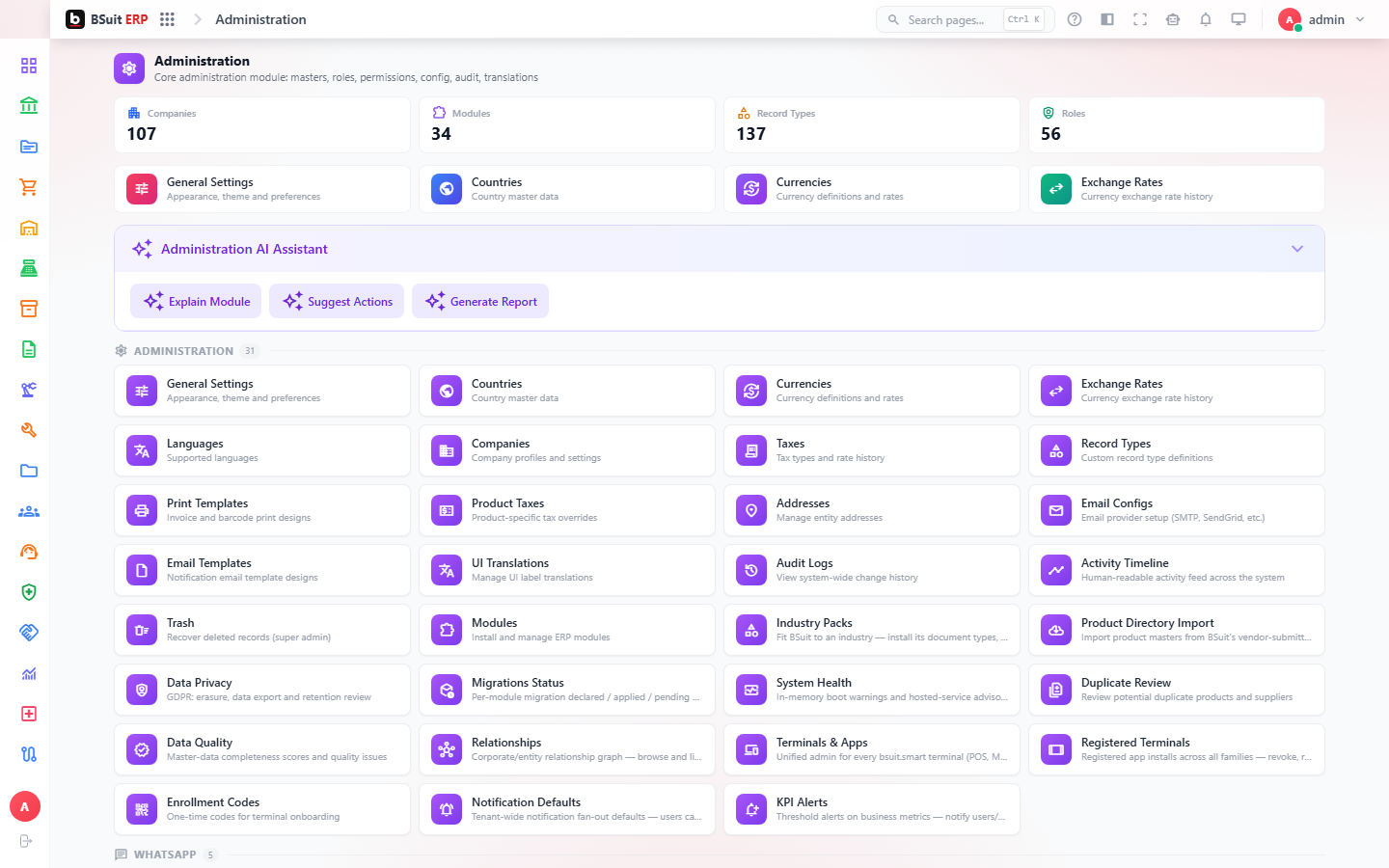
#How the module is organized
Companies, Countries, Currencies, Exchange Rates, and Languages are the reference data most other modules depend on. Email Configs and Email Templates control outbound mail; Record Types and Print Templates control how business documents behave and print. Audit Logs, Activity Timeline, and System Health are the module’s own oversight tools.
#Where to start
- Set up Companies, Currencies, and Exchange Rates before any other module goes live for a new tenant.
- Configure Email Configs (SMTP) before relying on any automated notification.
- Record Types is where approval-workflow, numbering, and posting behavior for every business document is defined — changes here affect every module.
- Check System Health and Audit Logs first when diagnosing an unexplained issue anywhere in BSuit.
- KPI Alerts lets you get notified when a metric crosses a threshold, rather than checking dashboards manually.
About this guide
- Status
- Partially reviewed
- Application
- BSuit ERP
- Audience
- Staff (internal users)
- Owner
- BSuit documentation team
- Reviewer
- Not yet reviewed
- Last verified
- Never
- Checked against
- Generated from source revision a36c7a086 on 2026-10-02
- Seen on a running system
- Not yet
- Help version
- 2026.0.0-preview
- Guide ID
erp:article/modules/administration
Was this helpful?