Getting started with Inventory & Warehouse
Stock levels, warehouse operations (picking, packing, cross-docking), batches, and cycle counts.
On this page
#How the module is organized
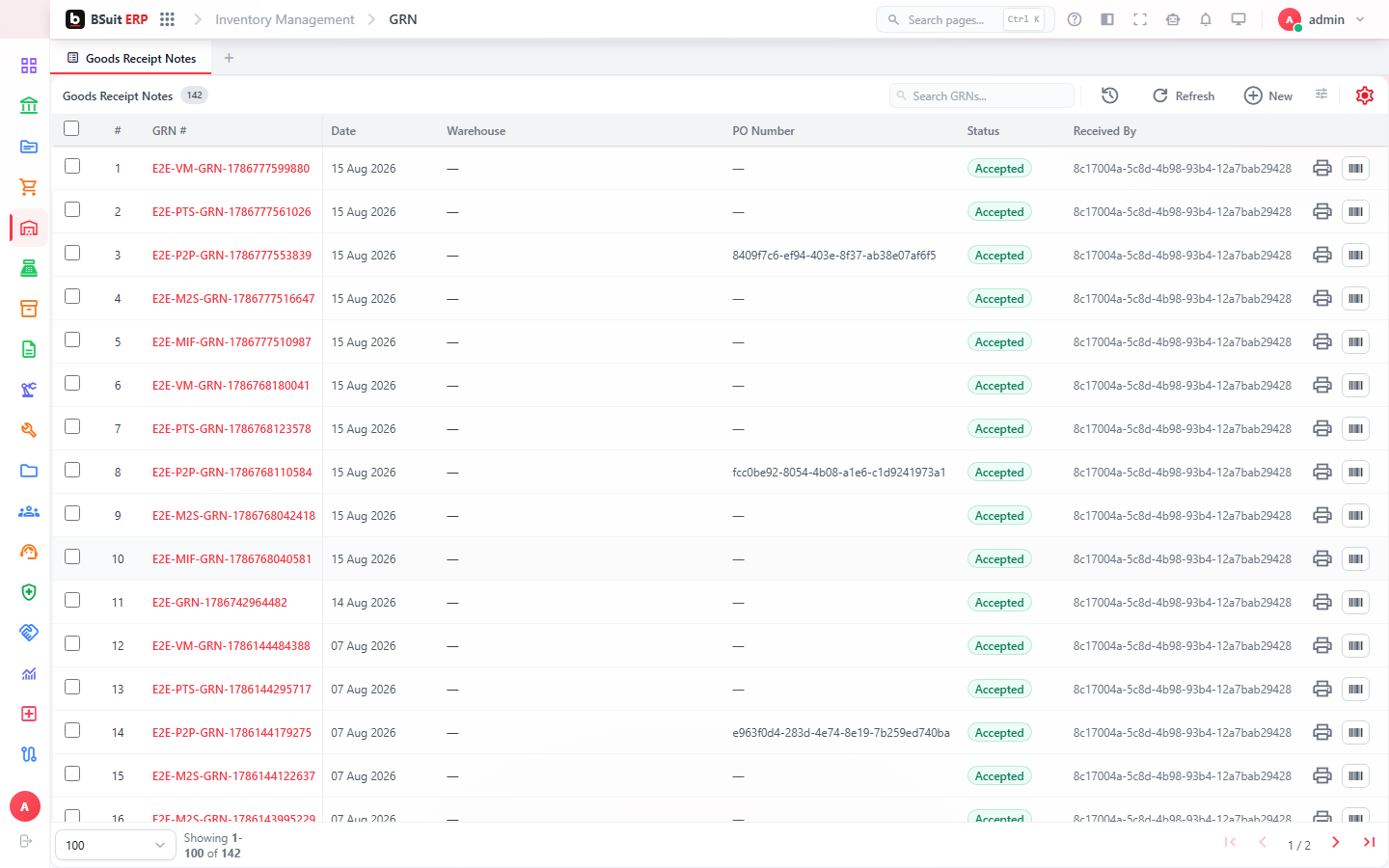
GRN (Goods Receipt Note) brings purchased stock in; Stock Adjustments and Stock Transfers correct or move it; Return to Vendors sends it back out. Pick Lists, Pick Tasks, and Pick Waves drive outbound warehouse operations; Packing Boxes and Packing Box Movements track how it’s physically packed. Batches and Batch Expiry Alerts matter for perishable or lot-tracked items.
#Where to start
- A GRN is normally created against an approved Purchase Order, not typed from scratch.
- Cycle Counts reconcile physical stock without a full warehouse shutdown — use Stock Adjustments only for confirmed discrepancies.
- ABC Analysis and the Margin Report help prioritize which items need tighter control.
- Expiring Batches and Batch Expiry Alerts need a review cadence for perishable stock — they don’t block anything automatically.
- Metal Exchanges and Metal Ledger only apply if the business trades priced-by-weight commodities.
About this guide
- Status
- Partially reviewed
- Application
- BSuit ERP
- Audience
- Staff (internal users)
- Owner
- BSuit documentation team
- Reviewer
- Not yet reviewed
- Last verified
- Never
- Checked against
- Generated from source revision a36c7a086 on 2026-10-02
- Seen on a running system
- Not yet
- Help version
- 2026.0.0-preview
- Guide ID
erp:article/modules/inventory-warehouse
Was this helpful?