Getting started with IoT
Register devices, ingest telemetry, define alert rules, and push commands to the field.
On this page
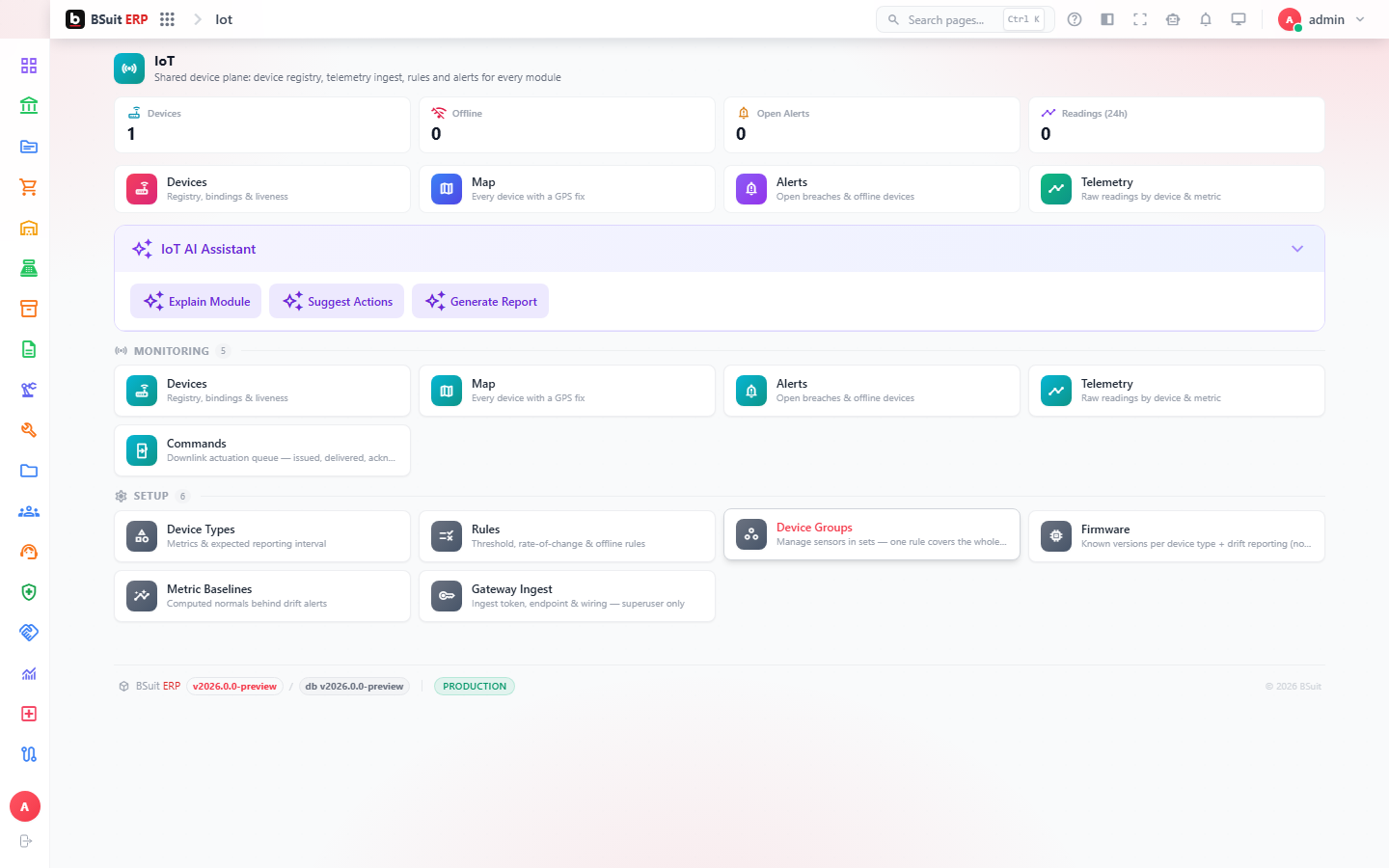
#How the module is organized
Devices belong to Device Types and Device Groups; Gateway Ingest is the entry point telemetry actually arrives through. Rules and Metric Baselines define what "normal" looks like and generate Alerts when a device deviates; Commands push instructions back out to a device; Firmware tracks what version each device is running.
#Where to start
- A device must be registered under a Device Type before its telemetry will be accepted via Gateway Ingest.
- Set Metric Baselines before relying on Rules to catch anomalies — a rule without a baseline has nothing to compare against.
- Device Map gives a geographic view, useful when Alerts need to be triaged by location/site rather than by device id.
- Check Firmware versions before troubleshooting an Alert — outdated firmware is a common root cause.
About this guide
- Status
- Partially reviewed
- Application
- BSuit ERP
- Audience
- Staff (internal users)
- Owner
- BSuit documentation team
- Reviewer
- Not yet reviewed
- Last verified
- Never
- Checked against
- Generated from source revision a36c7a086 on 2026-10-02
- Seen on a running system
- Not yet
- Help version
- 2026.0.0-preview
- Guide ID
erp:article/modules/iot
Was this helpful?