Getting started with Product Management
The product catalog: attributes, categories, pricing, packaging, and storefront readiness.
On this page
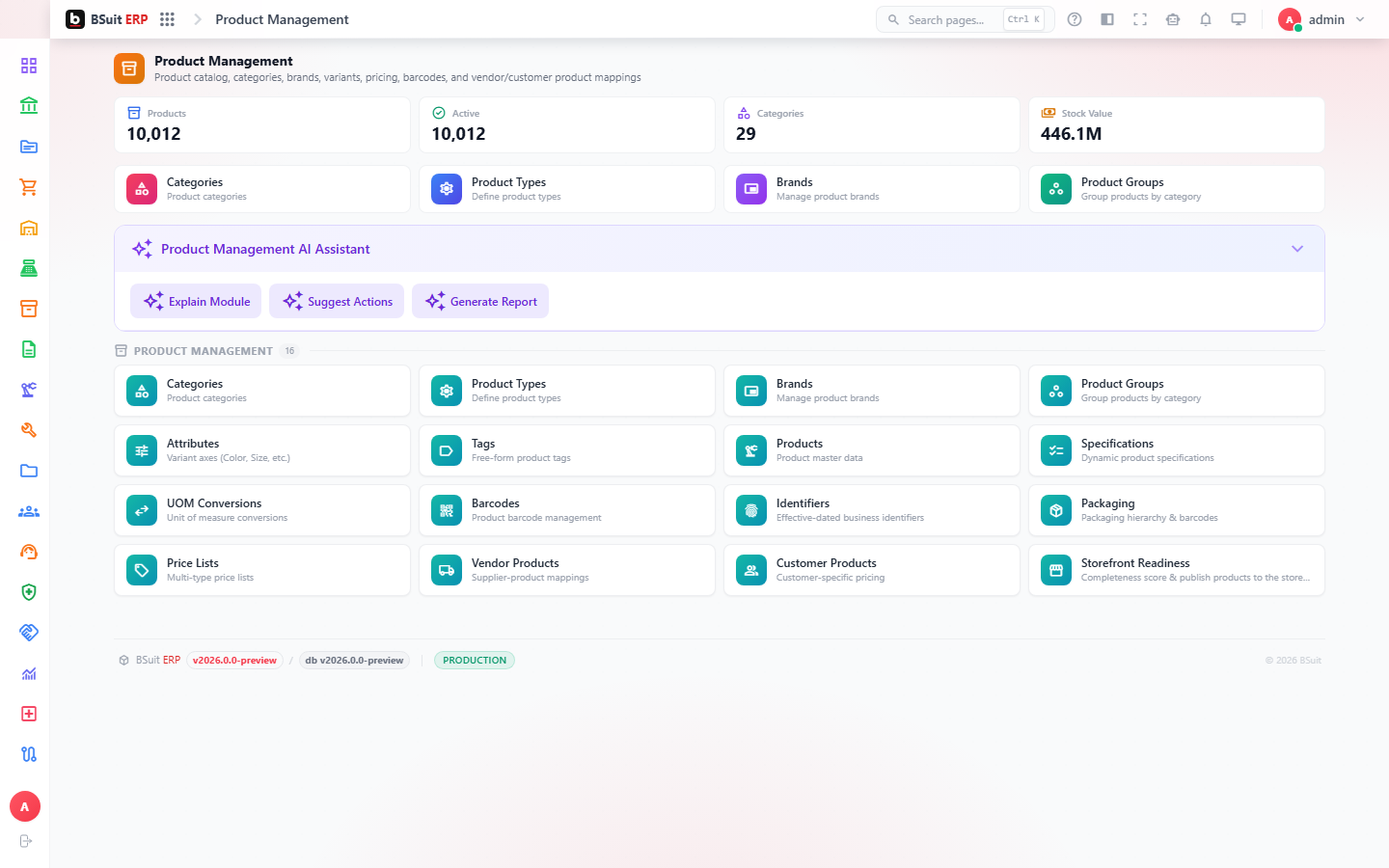
#How the module is organized
Products sit inside Product Groups and Categories, described by Product Attributes and tagged with Product Tags. Product Packagings and Uom Conversions handle unit-of-measure variants (each/case/pallet); Product Prices and Product Specifications hold commercial and technical detail. Storefront Readiness checks whether a product has everything needed to sell online.
#Where to start
- Set up Product Attributes and Categories before creating Products — retrofitting them onto existing products is more work.
- Product Barcodes must be unique per UOM variant — check Uom Conversions if a scan resolves to the wrong item.
- Storefront Readiness will flag a product as unpublishable before a customer ever sees the gap.
- Brands and Product Types are separate axes from Categories — use whichever the storefront/reporting actually filters by.
About this guide
- Status
- Partially reviewed
- Application
- BSuit ERP
- Audience
- Staff (internal users)
- Owner
- BSuit documentation team
- Reviewer
- Not yet reviewed
- Last verified
- Never
- Checked against
- Generated from source revision a36c7a086 on 2026-10-02
- Seen on a running system
- Not yet
- Help version
- 2026.0.0-preview
- Guide ID
erp:article/modules/product-management
Was this helpful?