Getting started with BSuit AI
Configure AI providers, manage AI-generated documents, and use the BSuit AI chat assistant.
On this page
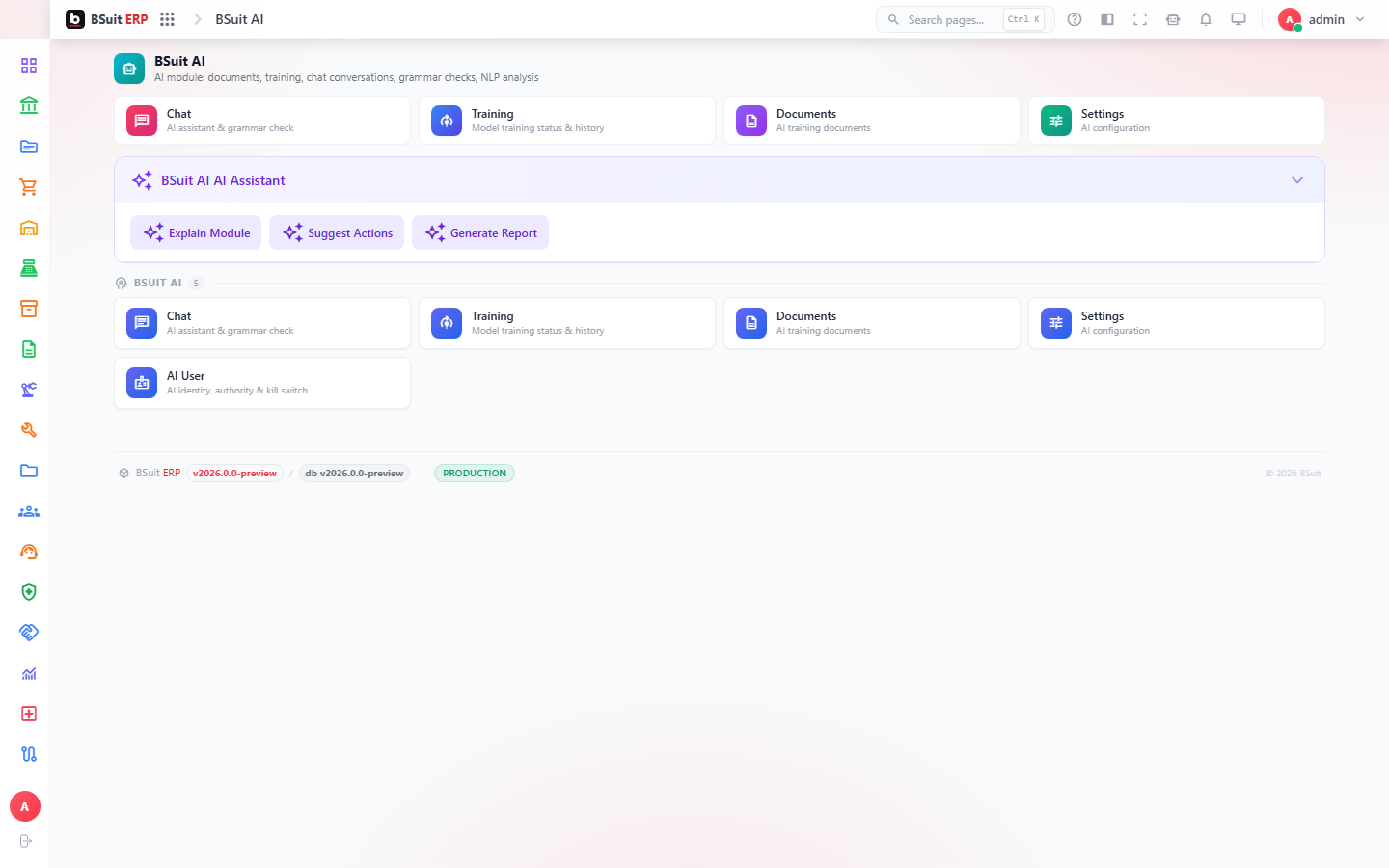
#How the module is organized
AI Settings configures which AI provider/model BSuit uses and per-user AI permissions (AI User). BSuit AI Chat is the conversational assistant end users interact with; AI Documents holds content it has generated or been given as context. Model Training covers any fine-tuning/customization on top of the base model.
#Where to start
- AI Settings must have a valid provider configured before BSuit AI Chat will respond to anything.
- AI User controls per-user access to AI features — a missing response is often a permissions gap here, not a model problem.
- Model Training is an advanced/administrative step, not required for standard chat or module AI-insight features to work.
About this guide
- Status
- Partially reviewed
- Application
- BSuit ERP
- Audience
- Staff (internal users)
- Owner
- BSuit documentation team
- Reviewer
- Not yet reviewed
- Last verified
- Never
- Checked against
- Generated from source revision a36c7a086 on 2026-10-02
- Seen on a running system
- Not yet
- Help version
- 2026.0.0-preview
- Guide ID
erp:article/modules/bsuit-ai
Was this helpful?