Getting started with Health, Safety & Environment
Work permits, incident tracking, and corrective actions for HSE compliance.
On this page
#How the module is organized
Permits To Work authorize hazardous work before it starts, scheduled via the Permit Calendar. Incident Timeline logs what actually happened when something goes wrong; Corrective Actions Board tracks the follow-up work items an incident generates through to closure.
#Where to start
- A Permit To Work should be approved and active before the work it covers begins — not filed retroactively.
- Log an incident on the Incident Timeline as soon as it happens; Corrective Actions Board items are usually generated from it, not created standalone.
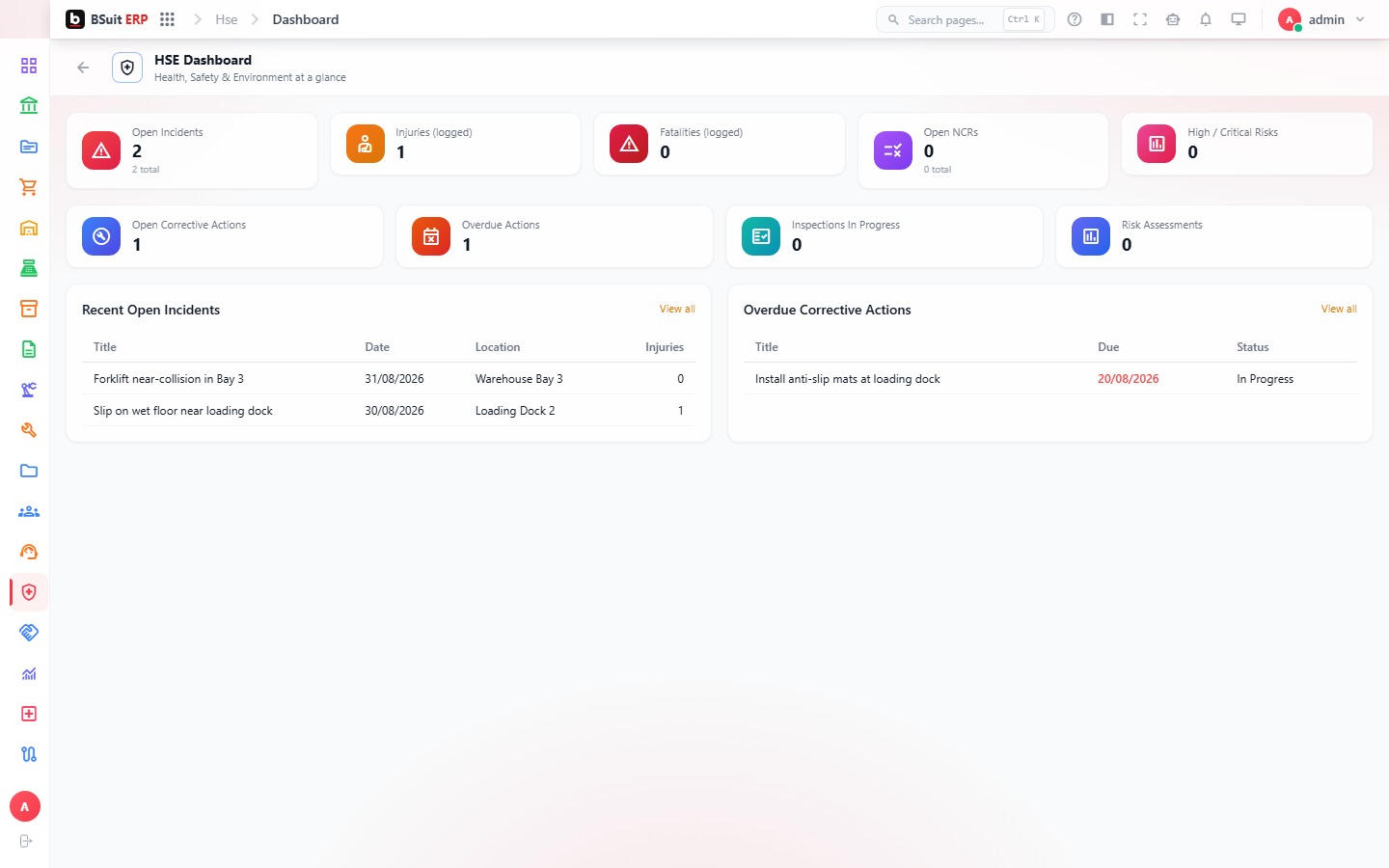
- HSE Dashboard is the fastest way to see open permits, recent incidents, and outstanding corrective actions in one view.
About this guide
- Status
- Partially reviewed
- Application
- BSuit ERP
- Audience
- Staff (internal users)
- Owner
- BSuit documentation team
- Reviewer
- Not yet reviewed
- Last verified
- Never
- Checked against
- Generated from source revision a36c7a086 on 2026-10-02
- Seen on a running system
- Not yet
- Help version
- 2026.0.0-preview
- Guide ID
erp:article/modules/hse
Was this helpful?