Getting started with Library
Bibliographic records, circulation (checkout/return), branches, and inter-library loans.
On this page
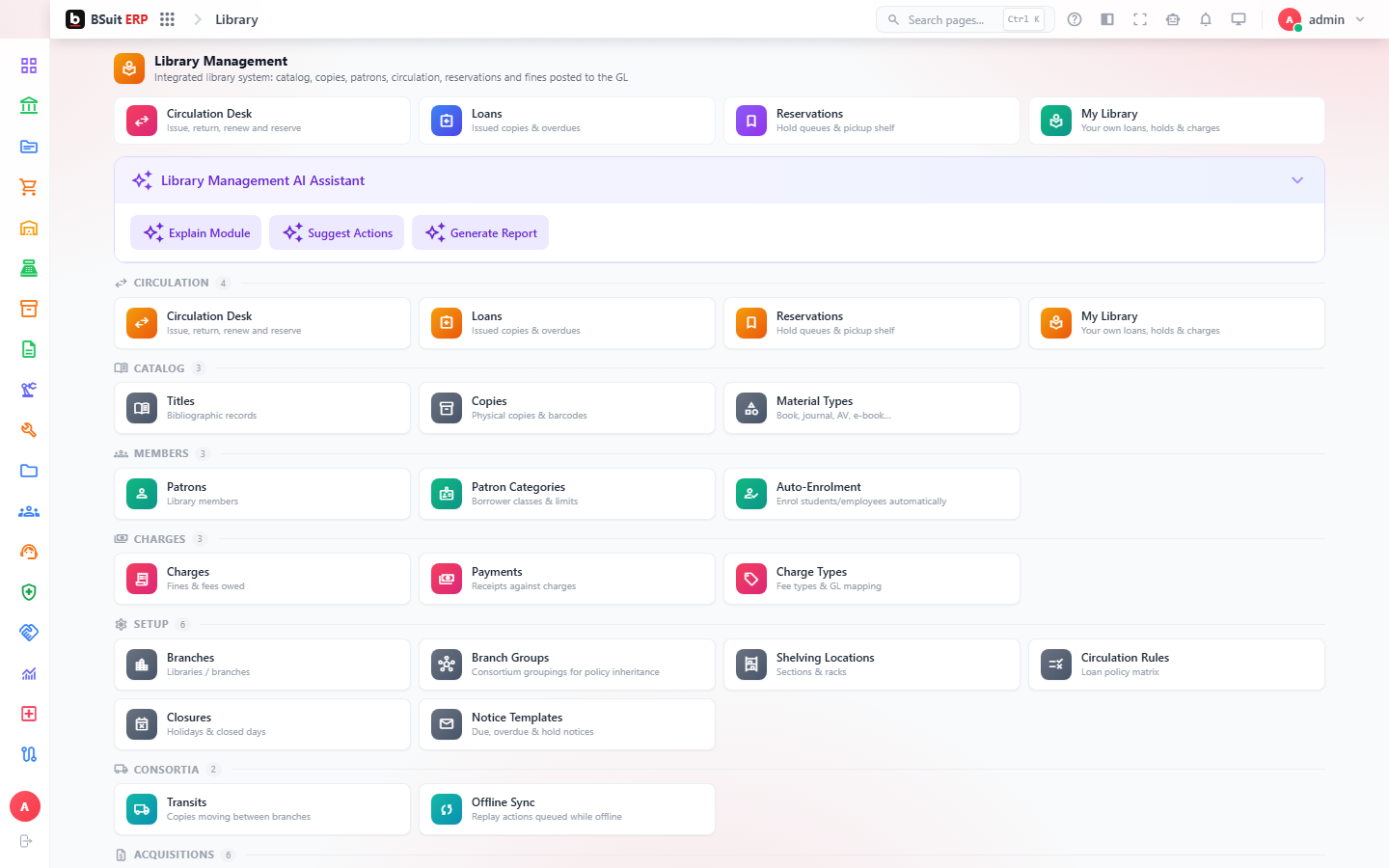
#How the module is organized
Bib Records are the catalog itself; Branches and Branch Groups define where physical copies live. Circulation Rules and Enrolment Rules set who can borrow what and for how long; Charges and Charge Types handle fines. Circulation Desk is the day-to-day checkout/return screen; Inter-Library Loan covers borrowing from outside branches.
#Where to start
- Create Bib Records before anything can be circulated.
- Set Circulation Rules per branch/member type before opening the Circulation Desk for use.
- Use My Library for a member’s own current loans and history.
- Encumbrances and Closures affect availability — check them before assuming a record is simply missing.
About this guide
- Status
- Partially reviewed
- Application
- BSuit ERP
- Audience
- Staff (internal users)
- Owner
- BSuit documentation team
- Reviewer
- Not yet reviewed
- Last verified
- Never
- Checked against
- Generated from source revision a36c7a086 on 2026-10-02
- Seen on a running system
- Not yet
- Help version
- 2026.0.0-preview
- Guide ID
erp:article/modules/library
Was this helpful?