Getting started with Manager Self-Service
A manager’s view of their team: approvals, attendance, leave, performance, and timesheets.
On this page
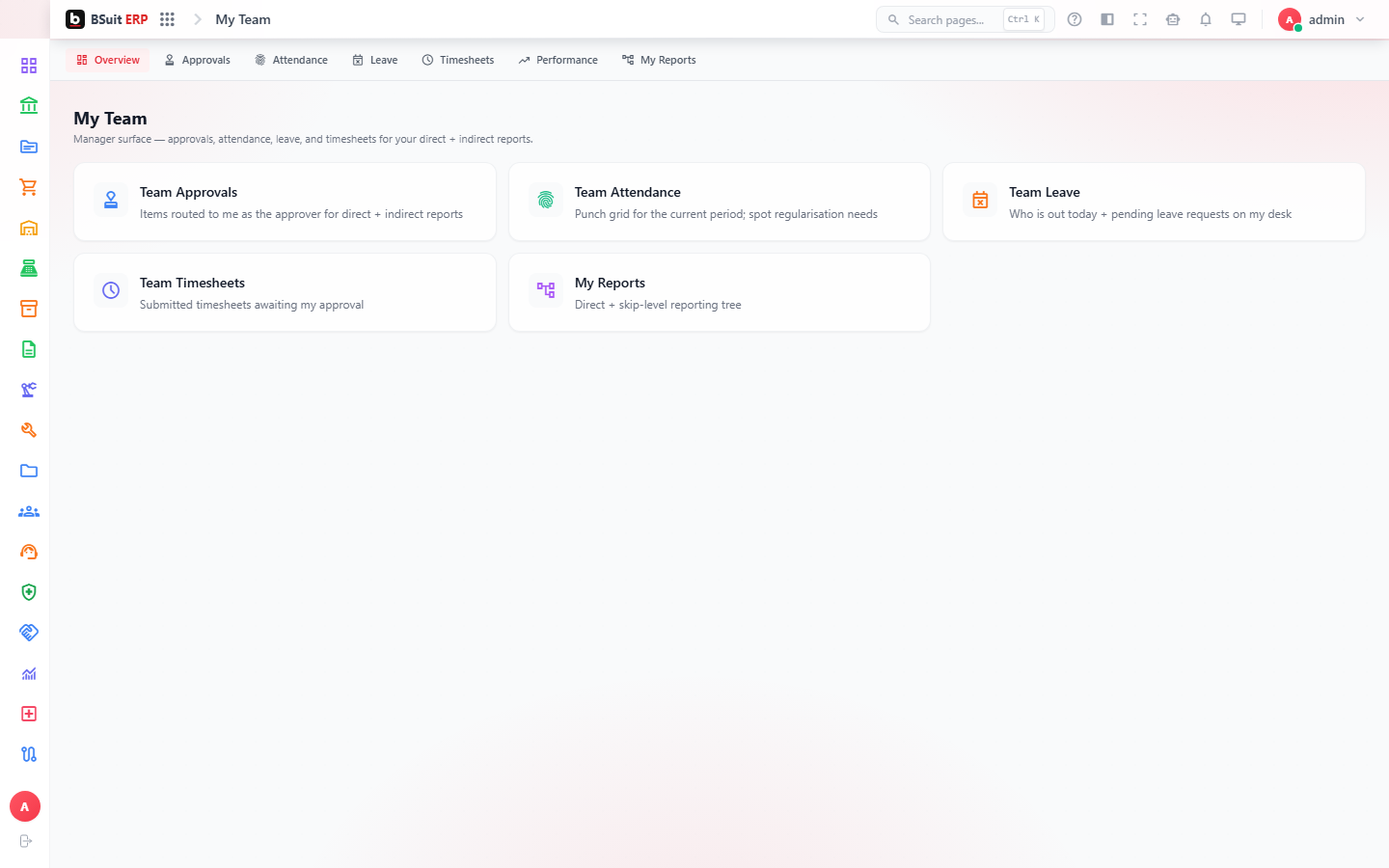
#How the module is organized
My Team lists the manager’s direct (and in some configurations, indirect) reports. Team Approvals, Team Attendance, Team Leave, Team Performance, and Team Timesheets are all that same team’s records, scoped so a manager only sees their own people. My Reports covers analytics scoped to the manager’s team.
#Where to start
- Team Approvals is the fastest path for day-to-day manager actions — it surfaces everything waiting on this manager specifically.
- If a report is missing from My Team, check the reporting-line setup in Human Resources rather than assuming a permissions bug.
- Team Performance ties into the main Performance module’s Cycles — a manager can’t review a cycle that hasn’t started.
About this guide
- Status
- Partially reviewed
- Application
- BSuit ERP
- Audience
- Staff (internal users)
- Owner
- BSuit documentation team
- Reviewer
- Not yet reviewed
- Last verified
- Never
- Checked against
- Generated from source revision a36c7a086 on 2026-10-02
- Seen on a running system
- Not yet
- Help version
- 2026.0.0-preview
- Guide ID
erp:article/modules/manager-self-service
Was this helpful?