Getting started with Payroll
Run payroll by country pack, review run items, and handle salary arrears.
On this page
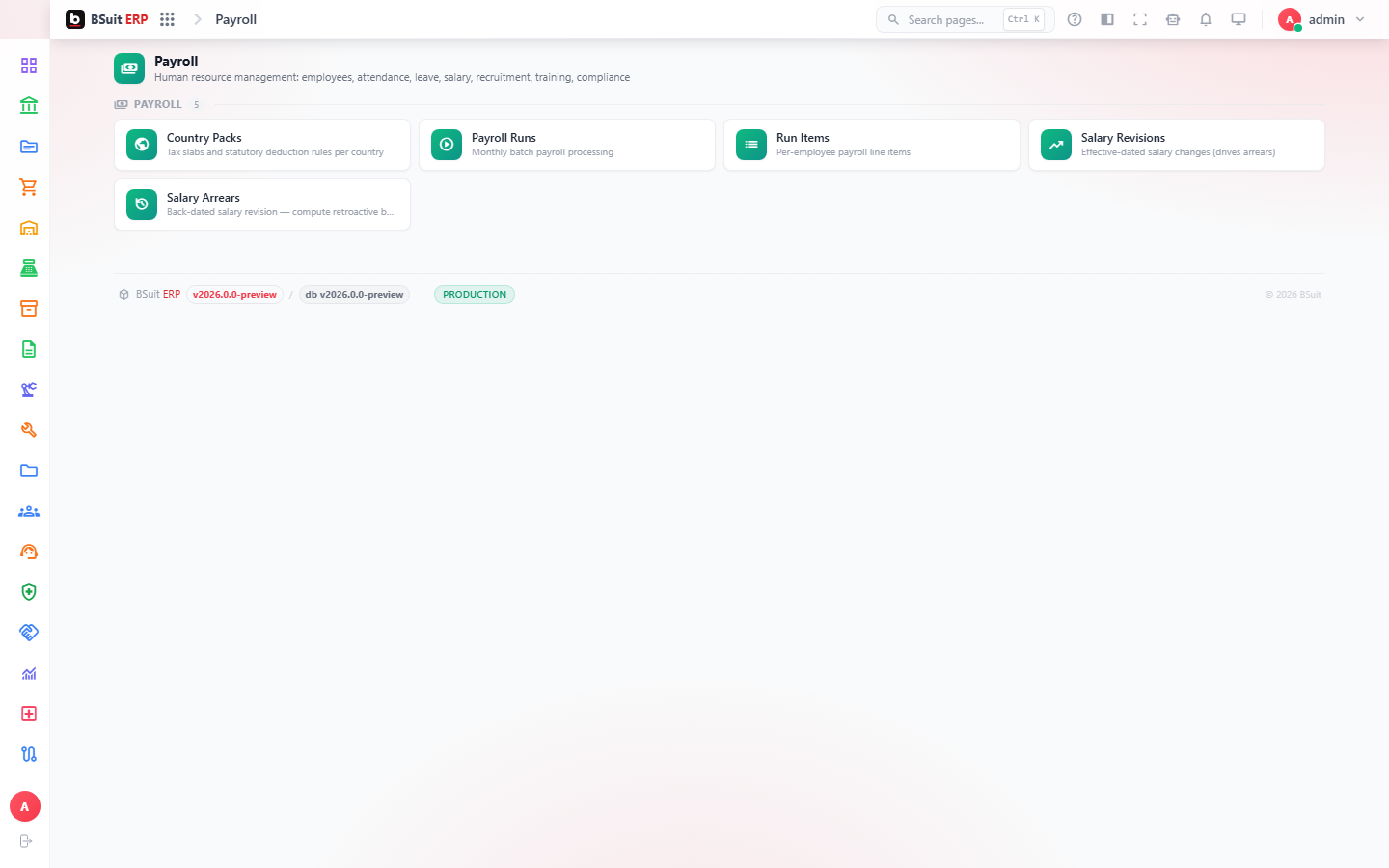
#How the module is organized
Country Packs supply the statutory rules (tax, social contributions) a Payroll Run applies for a given country. Payroll Runs generates one run per period, made up of Run Items per employee; Salary Arrears handles retroactive corrections that need to be paid out separately from the current run.
#Where to start
- Confirm the right Country Pack is active before running payroll for employees in a new country.
- Review Run Items before finalizing a Payroll Run — corrections after finalization go through Salary Arrears, not a direct edit.
- Salary Arrears should reference the original run/period it corrects, so the audit trail stays clear.
About this guide
- Status
- Partially reviewed
- Application
- BSuit ERP
- Audience
- Staff (internal users)
- Owner
- BSuit documentation team
- Reviewer
- Not yet reviewed
- Last verified
- Never
- Checked against
- Generated from source revision a36c7a086 on 2026-10-02
- Seen on a running system
- Not yet
- Help version
- 2026.0.0-preview
- Guide ID
erp:article/modules/payroll
Was this helpful?