Getting started with Workflow Automation
Design approval workflows, delegate authority, and monitor sagas and automation actions.
On this page
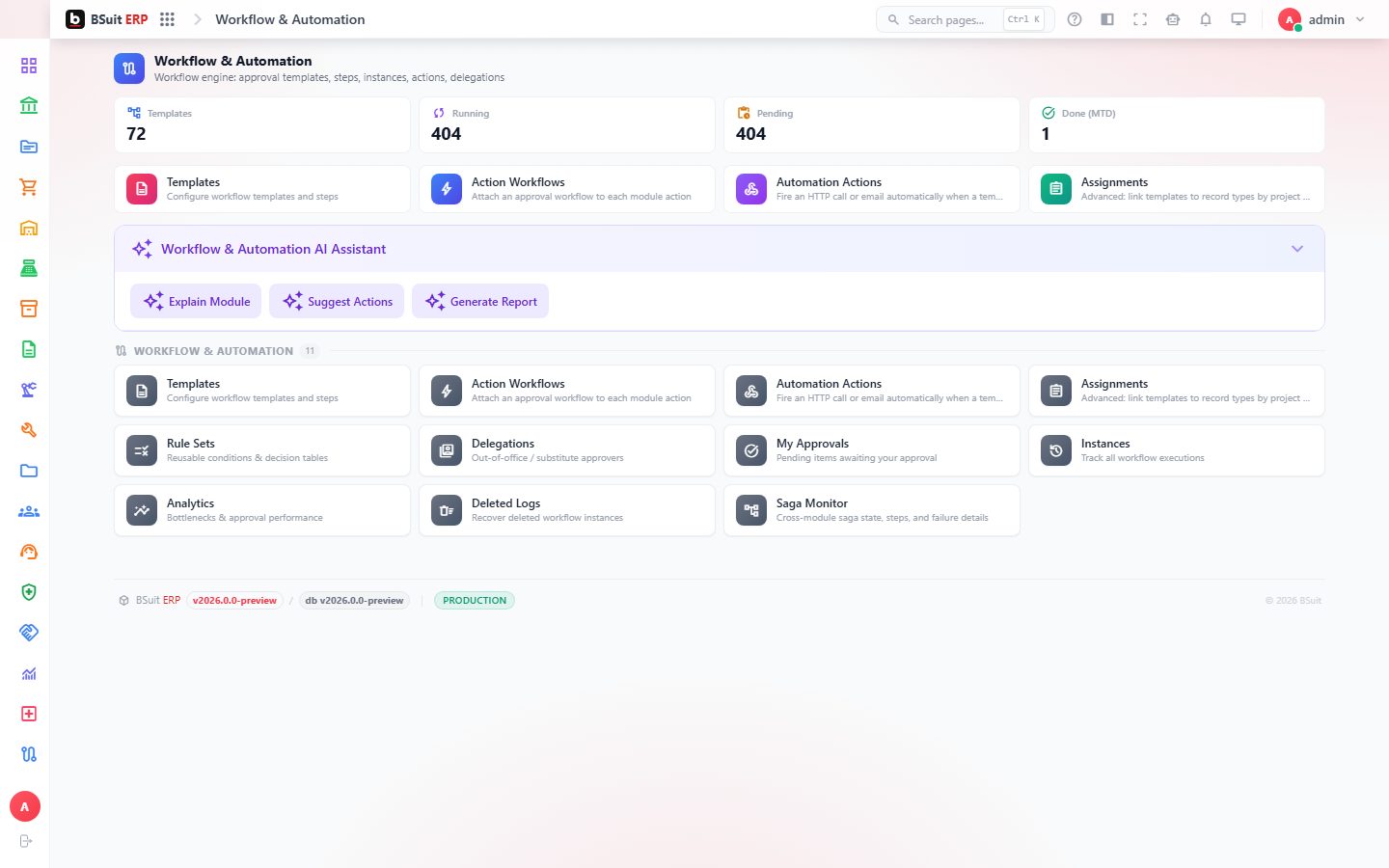
#How the module is organized
Templates and Rule Sets define a workflow’s stages and routing; Instances are live, in-progress runs of a workflow against a specific record. Delegations let one person’s approval authority temporarily pass to another; Automation Actions trigger side effects (notifications, field updates) at workflow steps. The Saga Monitor tracks longer-running, multi-step automated processes end to end.
#Where to start
- Workflow Designer is where a Template’s stages and approvers are actually built — Templates just lists the finished results.
- Set a Delegation before going on leave so approvals don’t stall on an absent approver.
- My Approvals here is the general cross-module approval queue — distinct from a module’s own "My Approvals" (e.g. Finance, ESS).
- Deleted Workflow Logs preserves history even after a workflow instance is removed — check it before assuming history is gone.
- Workflow Analytics shows where approvals are actually getting stuck (by stage/approver), useful before redesigning a Rule Set.
About this guide
- Status
- Partially reviewed
- Application
- BSuit ERP
- Audience
- Staff (internal users)
- Owner
- BSuit documentation team
- Reviewer
- Not yet reviewed
- Last verified
- Never
- Checked against
- Generated from source revision a36c7a086 on 2026-10-02
- Seen on a running system
- Not yet
- Help version
- 2026.0.0-preview
- Guide ID
erp:article/modules/workflow-automation
Was this helpful?