Permission Manager
Configure role access to master entities, transaction record types, fields, and row scopes.
On this page
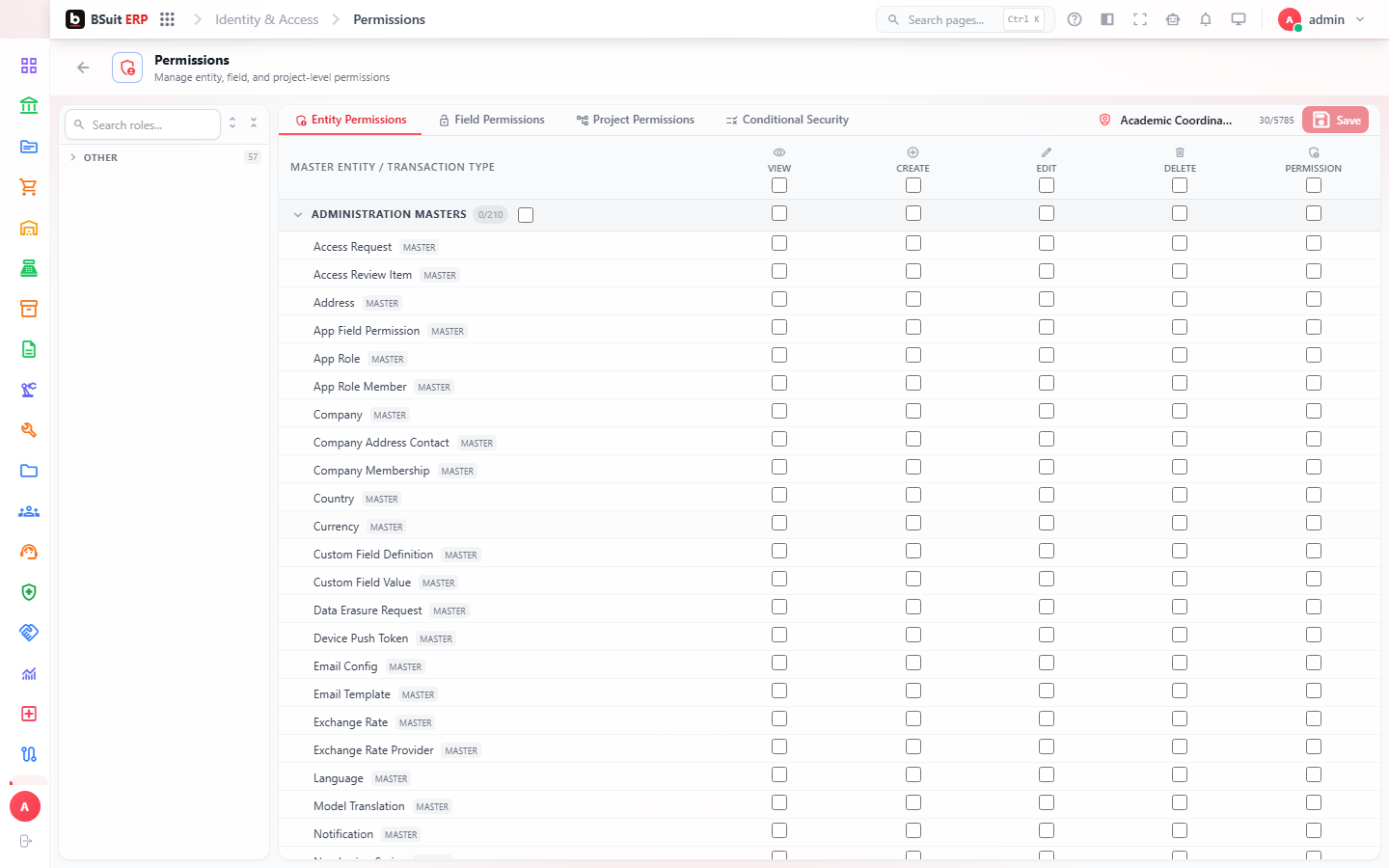
#How permissions are organized
Master entities control reference data such as customers and products. Transaction permissions are assigned by Record Type, allowing separate access to invoices, journals, orders, and other business documents.
#Configure a role safely
- Select a role and review its current effective access.
- Grant only the actions required: view, create, edit, delete, post, approve, or other record-specific actions.
- Add field or row restrictions when users should see only part of an entity.
- Review separation-of-duties warnings before saving.
- Use the effective-permissions view to verify the final result.
#Why a list may be empty
Confirm the module is installed, the role is active, and the entity catalog has loaded. Your administrator account must also have permission to manage identity settings.
About this guide
- Status
- Partially reviewed
- Application
- BSuit ERP
- Audience
- Staff (internal users)
- Owner
- BSuit documentation team
- Reviewer
- Not yet reviewed
- Last verified
- Never
- Checked against
- Generated from source revision a36c7a086 on 2026-10-02
- Seen on a running system
- 2026-09-21
- Help version
- 2026.0.0-preview
- Guide ID
erp:/identity/permissions
Was this helpful?