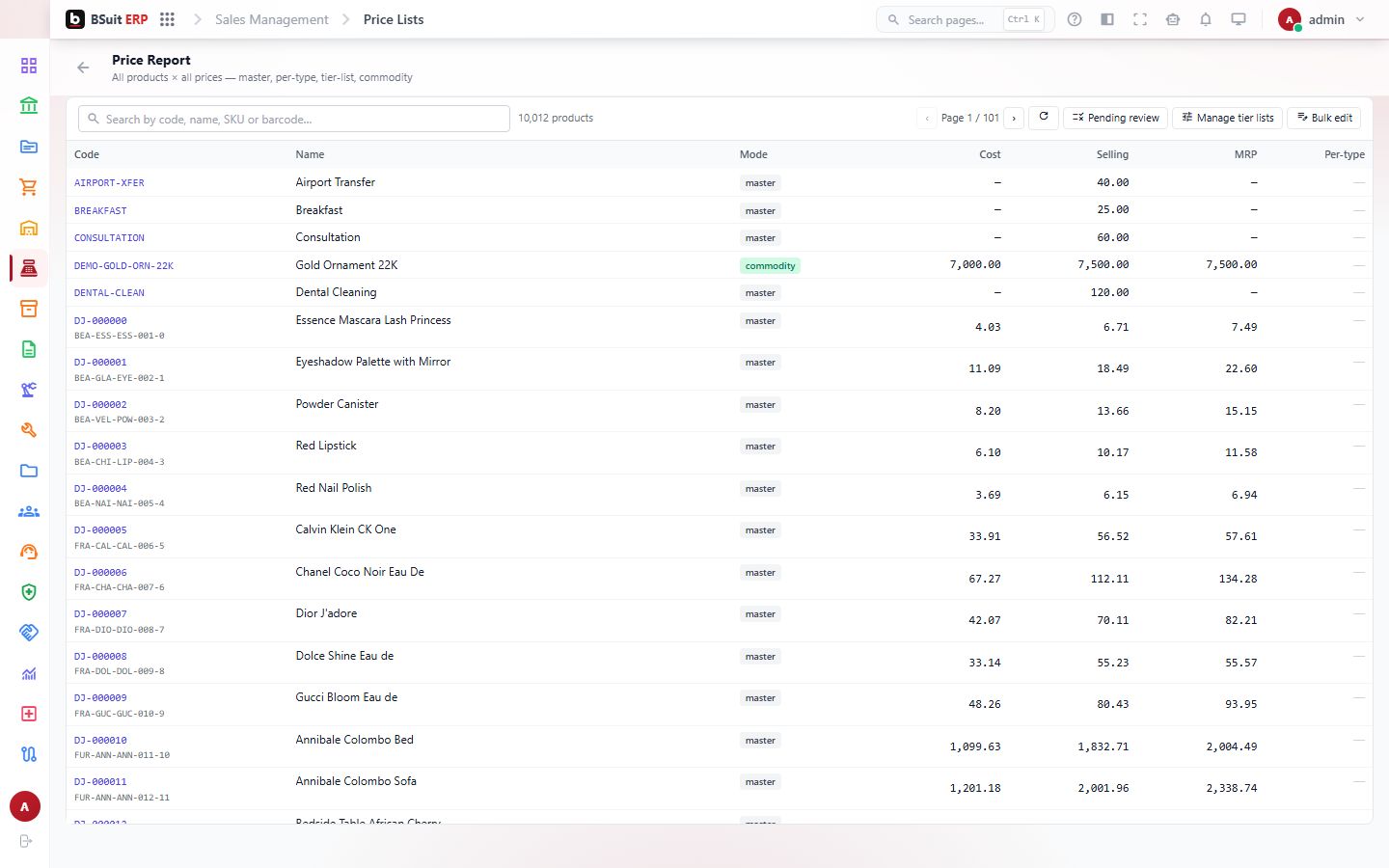
Price Report
All products × all prices — master, per-type, tier-list, commodity
On this page
#About Price Report
All products × all prices — master, per-type, tier-list, commodity. This is a report page for reading, filtering and exporting results in BSuit ERP (Sales). It is used by staff (internal users). What you can see and do depends on your role and permissions.
#How to open it
In BSuit ERP, open Sales and choose “Price Report”, or go directly to the address /sales-management/price-lists.
#What you can do here
These controls are present in the page’s implementation. Whether you see a given one also depends on your permissions and on the data shown.
- Delete records (you are asked to confirm).
- Search within the page.
- Filter the data shown.
- Sort by a column.
- Page through long lists.
#Data stored for each record
The form layout of this page could not be read from its source, so here is everything BSuit stores for a pricelist (see also the PriceList data reference). Which fields appear on screen depends on the page and your configuration.
| Field | Stored as | Type | Required | Max length | Refers to |
|---|---|---|---|---|---|
| Code | Code | Text | No | — | — |
| Name | Name | Text | No | — | — |
| Description | Description | Text | No | — | — |
| Company Id | CompanyId | Text | No | — | Company |
| Tier | Tier | Text | No | — | — |
| Currency Id | CurrencyId | Text | No | — | Currency |
| Effective From | EffectiveFrom | Date | No | — | — |
| Effective To | EffectiveTo | Date | No | — | — |
| Is Active | IsActive | Yes / No | No | — | — |
| Lines | Lines | Text | No | — | — |
| Currency | Currency | Text | No | — | — |
| Id | Id | Text | No | — | — |
| Created At | CreatedAt | Date and time | No | — | — |
| Updated At | UpdatedAt | Date and time | No | — | — |
| Is Deleted | IsDeleted | Yes / No | No | — | — |
#How to run a price report report
Reports are read-only: running one never changes data.
- Open Sales › Price Report from the menu.
- Set any date range or filters shown at the top of the page.
- Run or refresh the report so the figures reflect your filters.
- If the numbers look wrong, check the filters, the selected company and the accounting period before contacting support.
#Observed on a running system
On 2026-09-21 this page was opened in a browser as a test administrator. This is what was visible on screen under the heading “Price Report”. Your own view can differ with your role, data and settings.
| Button |
|---|
| Refresh |
#If something is missing or fails
- No data: confirm the company or context selected in the top bar, and any filters or date range in use.
- An action is hidden or disabled: it usually needs a permission your role does not have. Ask an administrator to check your effective access.
- An error message appears: note the message, the page address and what you were doing, and contact support with those details (never include passwords).
#About this guide
This guide was generated from the page’s implementation. It has not yet been reviewed by a person against a running system, so treat it as a reference for what the page contains rather than a complete procedure.
About this guide
- Status
- Partially reviewed
- Application
- BSuit ERP
- Audience
- Staff (internal users)
- Owner
- BSuit documentation team
- Reviewer
- Not yet reviewed
- Last verified
- Never
- Checked against
- Generated from source revision a36c7a086 on 2026-10-02
- Seen on a running system
- 2026-09-21
- Help version
- 2026.0.0-preview
- Guide ID
erp:/sales-management/price-lists